Bookkeep Managed Cost of Goods Sold
Bookkeep Managed Cost of Goods Sold (COGS) is an automated COGS accounting solution designed for ecommerce and marketplace sellers who want accurate daily cost tracking without relying on a full inventory management system. It enables businesses to maintain reliable COGS in their accounting software by managing product costs directly in Bookkeep and automatically applying those costs as products are sold.
This approach reduces manual effort, eliminates spreadsheet-based COGS tracking, and ensures your financials reflect true profitability on a daily basis.
What Is Bookkeep Managed COGS?
Bookkeep Managed COGS allows you to control and maintain product and variant costs inside Bookkeep and have those costs automatically applied to daily sales activity from supported ecommerce and marketplace platforms. Instead of relying on incomplete or non-historical cost data from sales channels, Bookkeep acts as the source of truth for product costs and posts accurate daily COGS journal entries to your accounting system.
This solution is ideal for businesses with relatively stable product costs that want automated, accounting-ready COGS without implementing complex inventory software.
Supported Apps for COGS Automation
Bookkeep Managed COGS currently supports the following ecommerce and marketplace platforms:
Shopify COGS Automation
Shopify stores a product cost, but only exposes the latest cost and does not provide historical cost changes. Bookkeep Managed COGS solves this by allowing you to manage costs directly in Bookkeep and apply them automatically to daily Shopify sales activity, ensuring consistent and auditable COGS reporting.
Amazon COGS Accounting
Amazon does not store product cost data at all. For Amazon sellers, Bookkeep imports sold items using the SellerSKU when available or the ASIN as the variant identifier. This enables accurate COGS calculation even when cost data does not exist in Amazon.
Walmart COGS Automation
Bookkeep now supports Walmart as a source for managed COGS. For Walmart sales, Bookkeep relies on the partner item ID as the source-of-truth identifier for variants sold. This ensures correct product an variant mapping in the Products view so costs can be accurately applied to Walmart sales and included in daily COGS journal entries.
Who Should Use Bookkeep Managed COGS
Bookkeep Managed COGS is a strong fit for:
-
Ecommerce and marketplace sellers without a dedicated inventory system
-
Shopify, Amazon, and Walmart sellers
-
Businesses with stable or infrequently changing product costs
-
Teams looking for automated daily COGS posting to accounting
When an Inventory System May Be a Better Fit
A full inventory management system may be more appropriate if your business:
-
Has frequently changing landed costs
-
Requires FIFO, LIFO, or weighted-average inventory valuation
-
Needs real-time inventory quantity tracking across warehouses
How Bookkeep Managed COGS Works
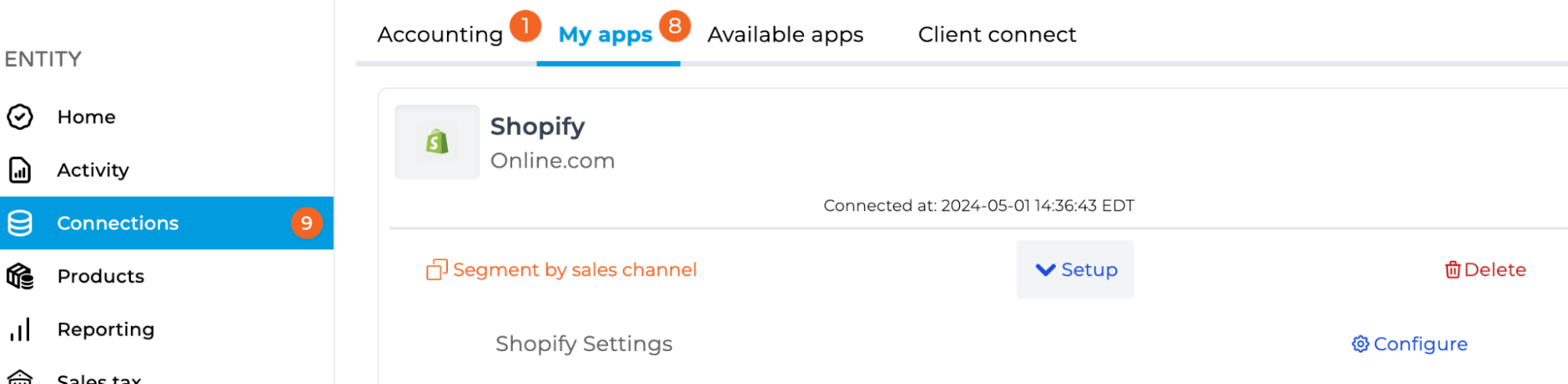
To enable Bookkeep Managed COGS, navigate to Connections > My Apps and select Configure for the app you want to enable COGS for.
-
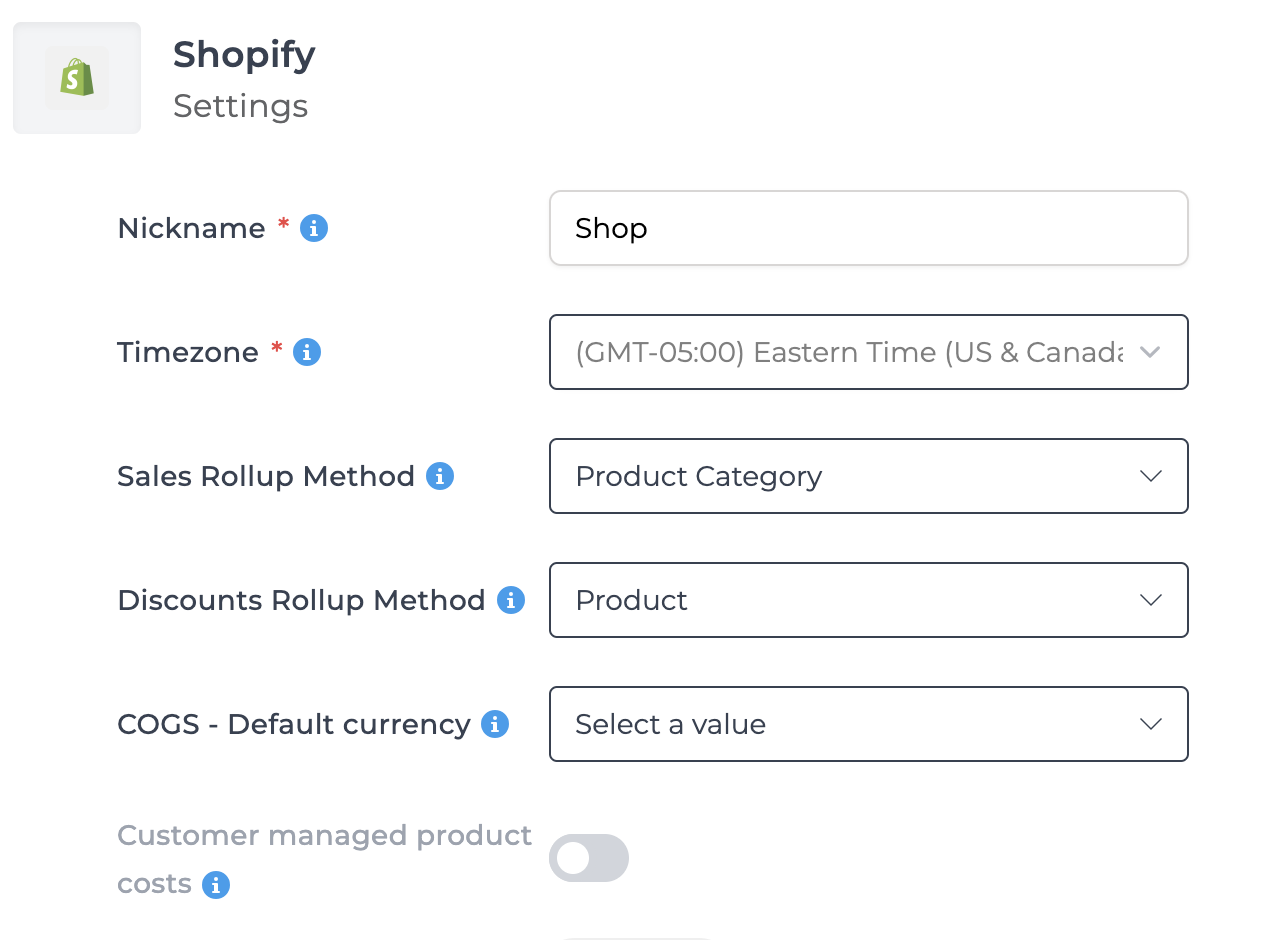
Select a COGS – Default Currency (This allows you to choose the currency for which you will enter costs e.g. if you plan to enter costs in USD, choose USD.)
-
Enable Customer Managed Product Costs toggle as shown below:
-
Save your settings
Once enabled, Bookkeep will begin importing recently sold products and variants from the connected platform so you can enter costs in the Products view.
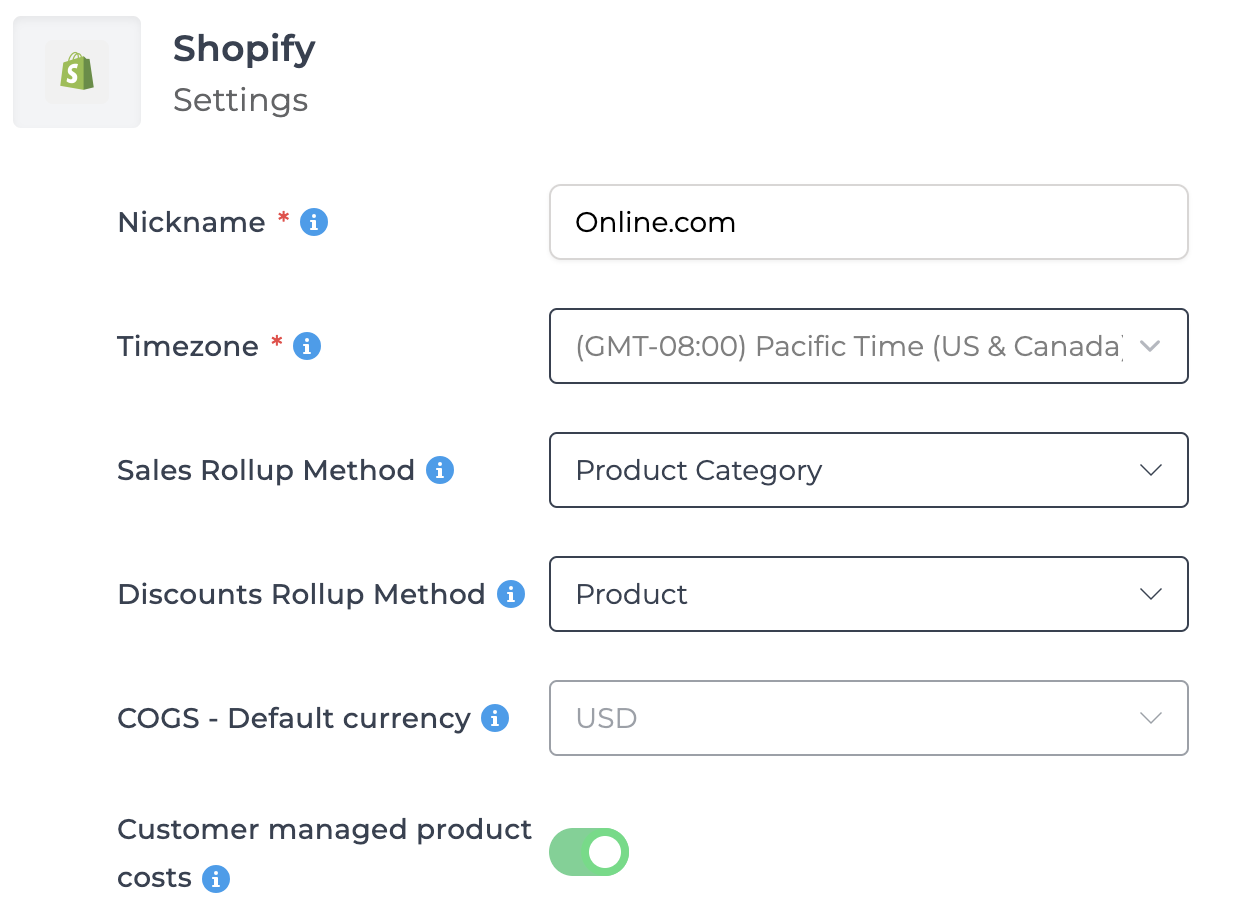
Once you select a default COGS currency and save your settings, you will see that the COGS - Default currency menu is unable to be changed as shown below. This is intentional as changing the currency can result in duplicates in your accounting platform. Please contact support if you need the default COGS currency to be changed.
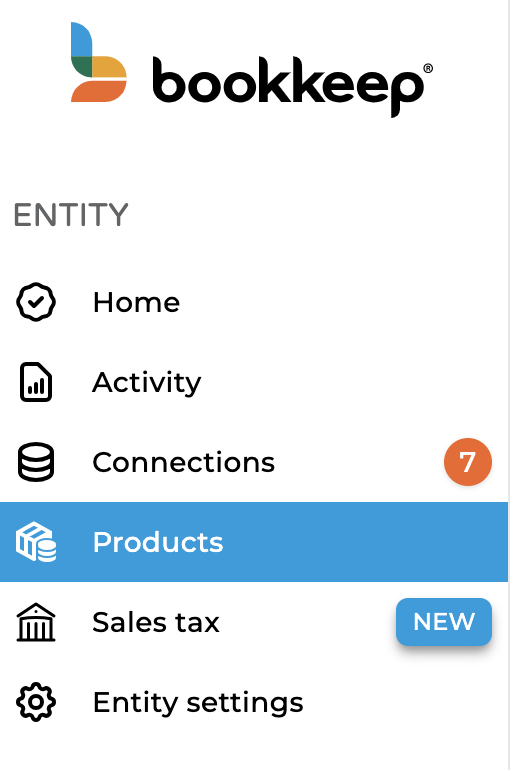
Once activated, you will see a Products tab in your left navigation as shown below:
Product versus Variant
In inventory management, products and variants refer to different levels of items being tracked, with each having a distinct role in organizing and managing stock. Here’s the difference between the two:
Product
-
A product is the main item or parent SKU (stock keeping unit) that a business sells. It represents a specific item that customers would generally recognize by a single name or description.
-
Products are often defined by their general features, such as item type, brand, or primary function.
-
Example of a product:
- A “T-shirt” offered by a clothing brand.
-
In inventory systems, products are typically broad categories without specific distinguishing attributes like size, color, or material.
Variant
-
A variant is a specific version of a product that differs in one or more attributes (e.g., size, color, material). Variants allow you to manage different forms of the same product within the inventory.
-
Each variant usually has its own unique SKU and inventory count, enabling precise tracking for each version.
-
Example of variants:
- A “T-shirt” product could have variants in size (Small, Medium, Large) and color (Red, Blue, Black).
Inventory Implications of Products vs. Variants
- Sales Reporting: Products and their variants help in tracking sales data granularly, allowing businesses to see which specific sizes, colors, or styles are in demand.
- Cost Tracking: Variants may have different costs (e.g., larger sizes may cost more), so accurate COGS calculations often depend on tracking each variant individually.
Products View and Variant Cost Management
The Products view is where you manage product and variant costs for supported apps. Bookkeep automatically imports variants based on the identifiers provided by each platform:
-
Shopify: product and variant IDs
-
Amazon: Seller SKU or ASIN
-
Walmart: partner item ID
You can:
-
Enter or update costs per variant
-
Set effective dates for cost changes
-
Filter for variants missing costs
Bookkeep uses this cost data to calculate accurate daily COGS as items are sold or returned.
You can select the app connection you would like to review in the top left (below it is filtered to an Amazon connection):
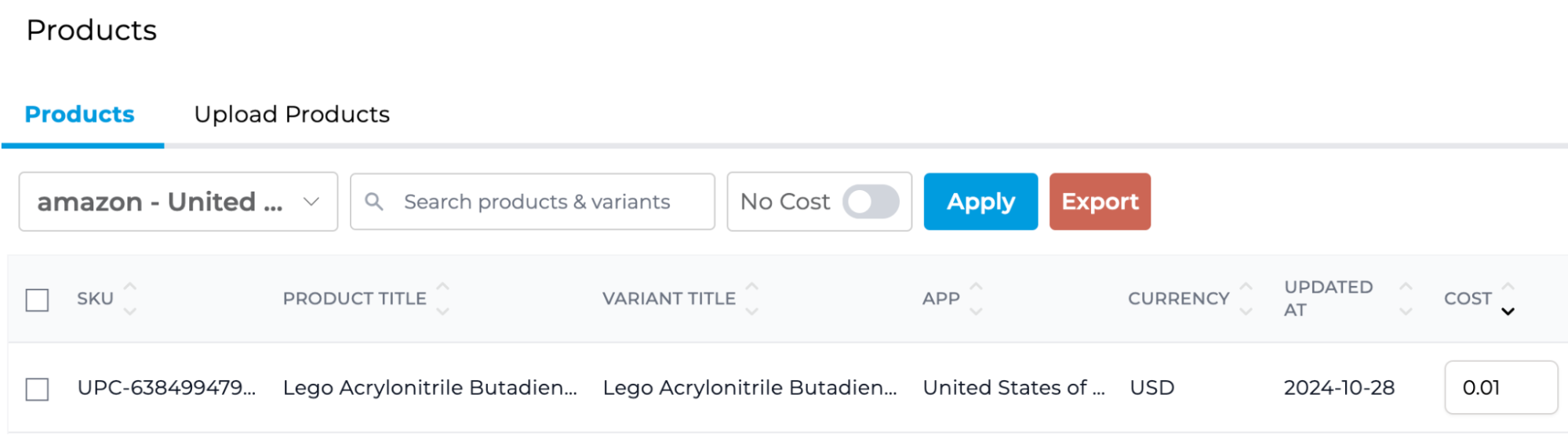
Bookkeep allows you to easily filter to variants without a cost by toggling “No Cost” and then clicking “Apply.” This will display all variants without a cost:
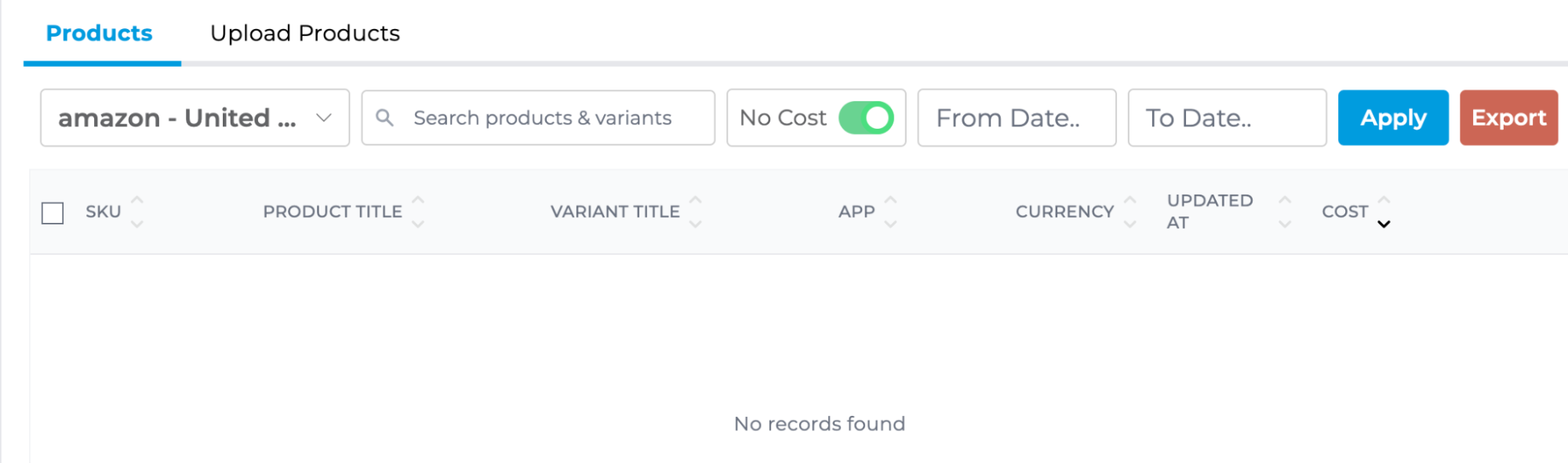
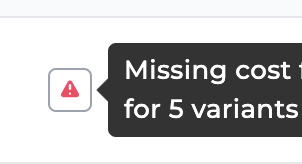
You will notice above when the “No Cost” toggle is activated, a from and to date field are available. This is helpful since Bookkeep will not post a COGS entry to your accounting system when costs are missing for any variant. You will see an error message next to a failed COGS entry in the activity view when any costs are missing. For example, the entry below is missing costs for five variants:
When filtering in the Products view for this specific day for items with no cost, it will show only the five variants missing a cost. This allows you to quickly update the missing costs and then post the COGS entry to your accounting platform.
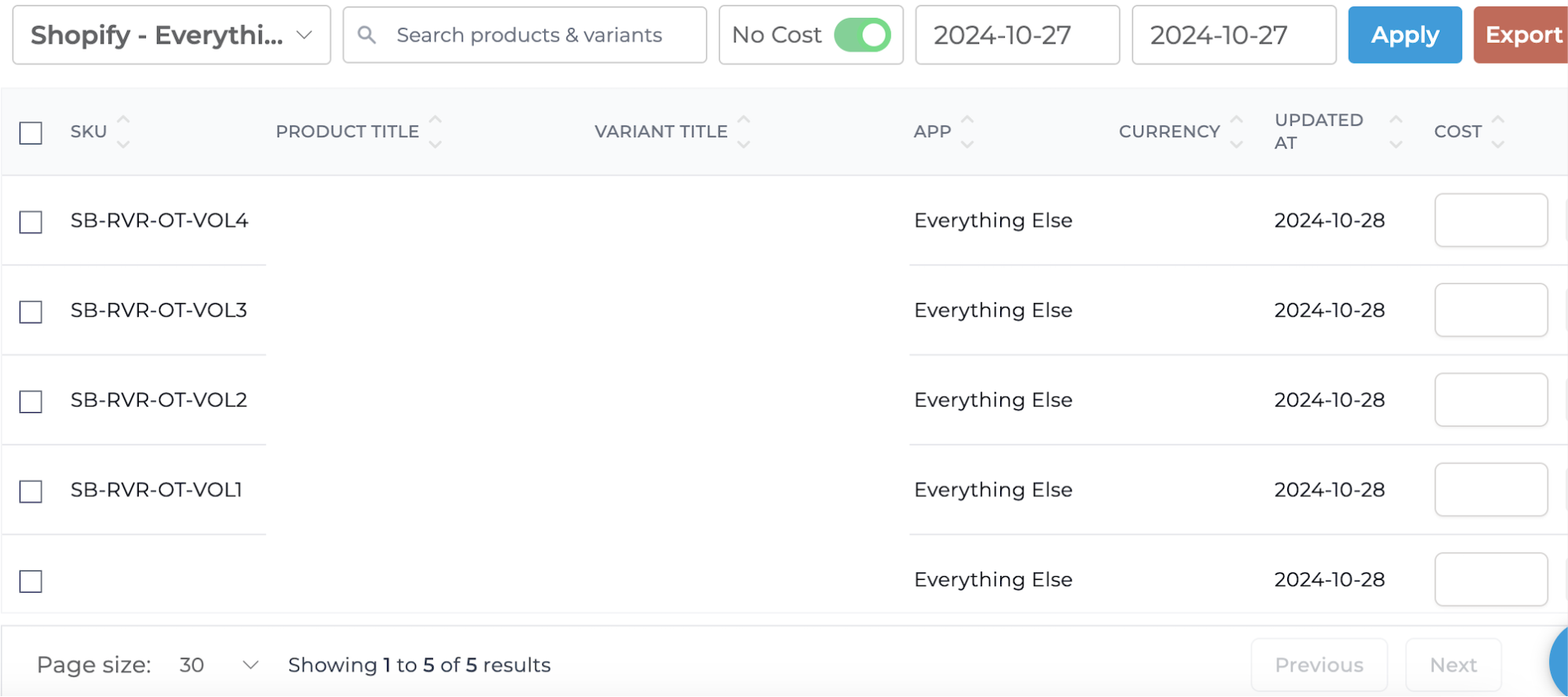
Bulk Update Multiple Variants
In the image above, five variants are shown without a cost. It is possible that all 5 variants are part of the same parent product, and therefore have the same cost. If you select the left checkboxes in each row, a yellow Update button will appear allowing you to bulk update the selected variants:
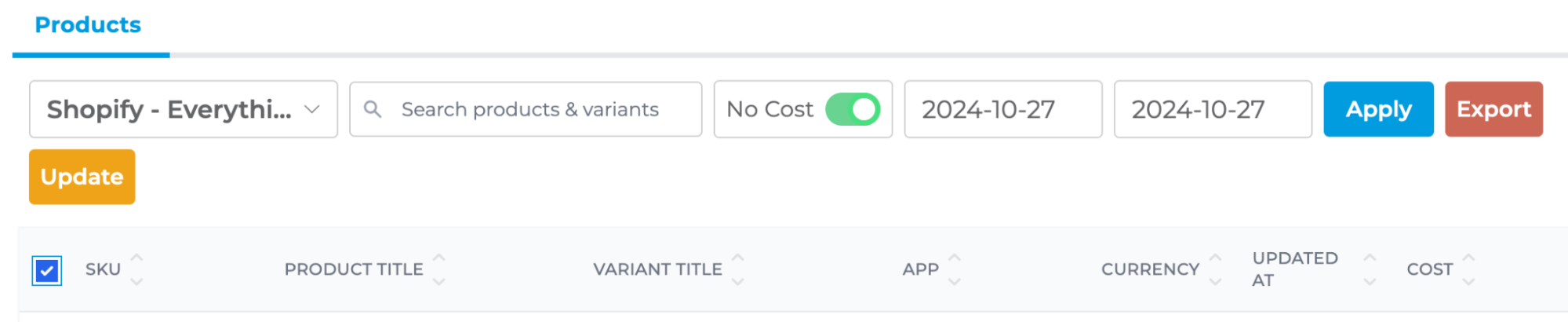
Upon clicking Update, a modal will appear with the selected variants:
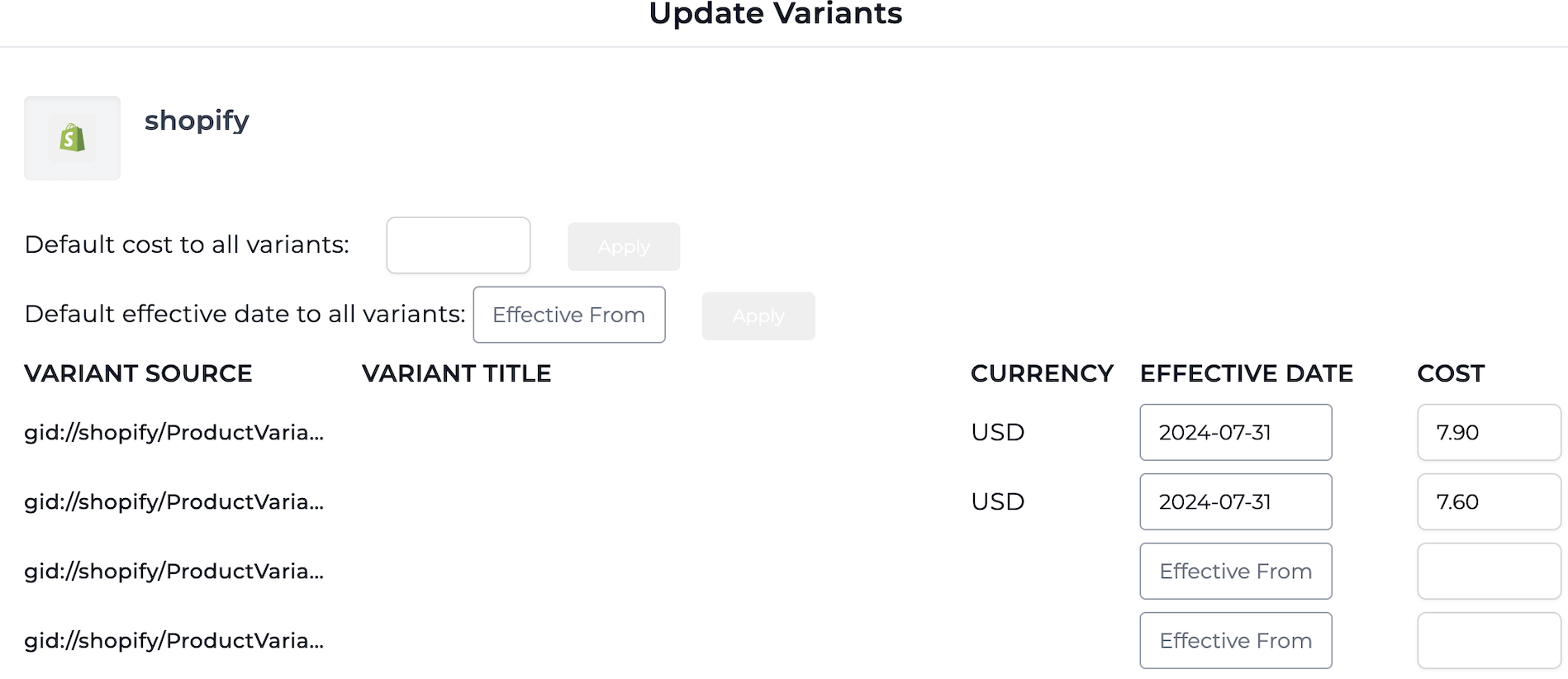
This bulk update modal offers a few benefits:
-
You can apply the same cost to each of the listed variants using the “default cost to all variants” field at the top.
-
This modal offers an effective date input per variant. This effective date is very helpful if you know on a specific date that the cost of a variant will change. This is exactly what the effective date is used for.
- For example, if the effective date is 11/1/2024, the new cost input will be used beginning on 11/1/2024. On dates prior to 11/1/2024, the older cost will be leveraged for this particular variant.
-
The modal allows you to apply the same effective date to each variant listed using the “default effective date to all variants” input at the top.
COGS Chart of Accounts Mapping
After enabling Managed COGS, a COGS mapping option becomes available under Connections > My Apps. You must map the COGS entry to your chart of accounts before journal entries can be posted (below Amazon COGS is displayed):
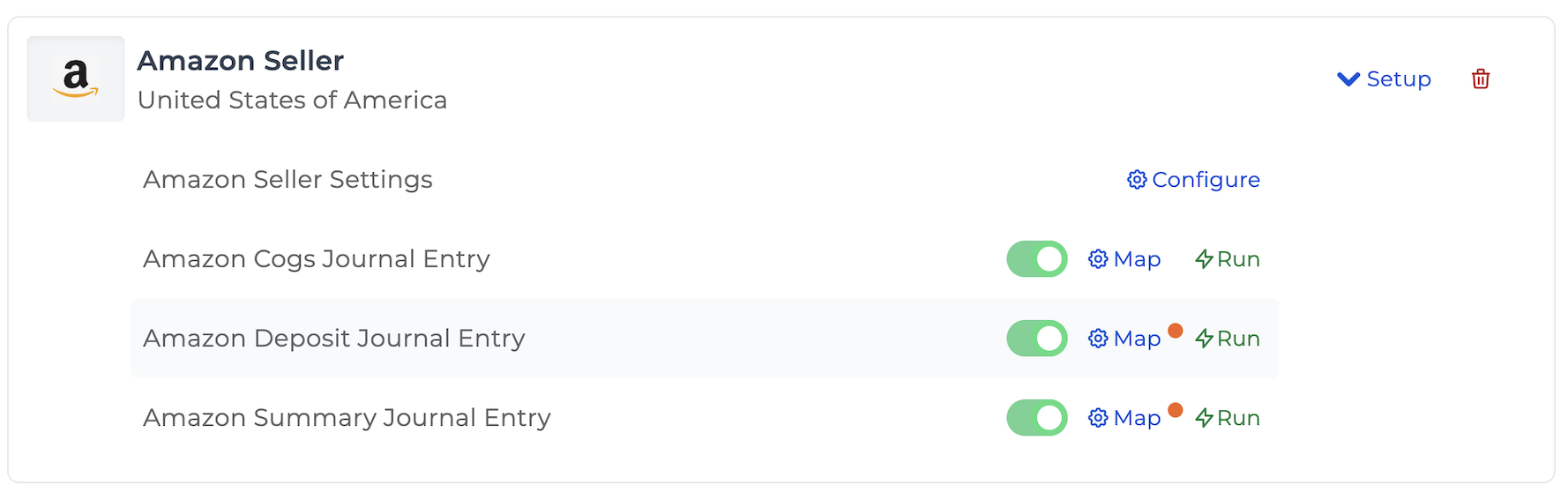
Once mapped, Bookkeep will automatically post COGS entries as part of your daily posting workflow.
Daily Automated COGS Posting
Bookkeep will pull the quantities of each variant sold and returned for the supported apps above and generate a summarized COGS journal entry per currency using the costs you provided in the Products view:
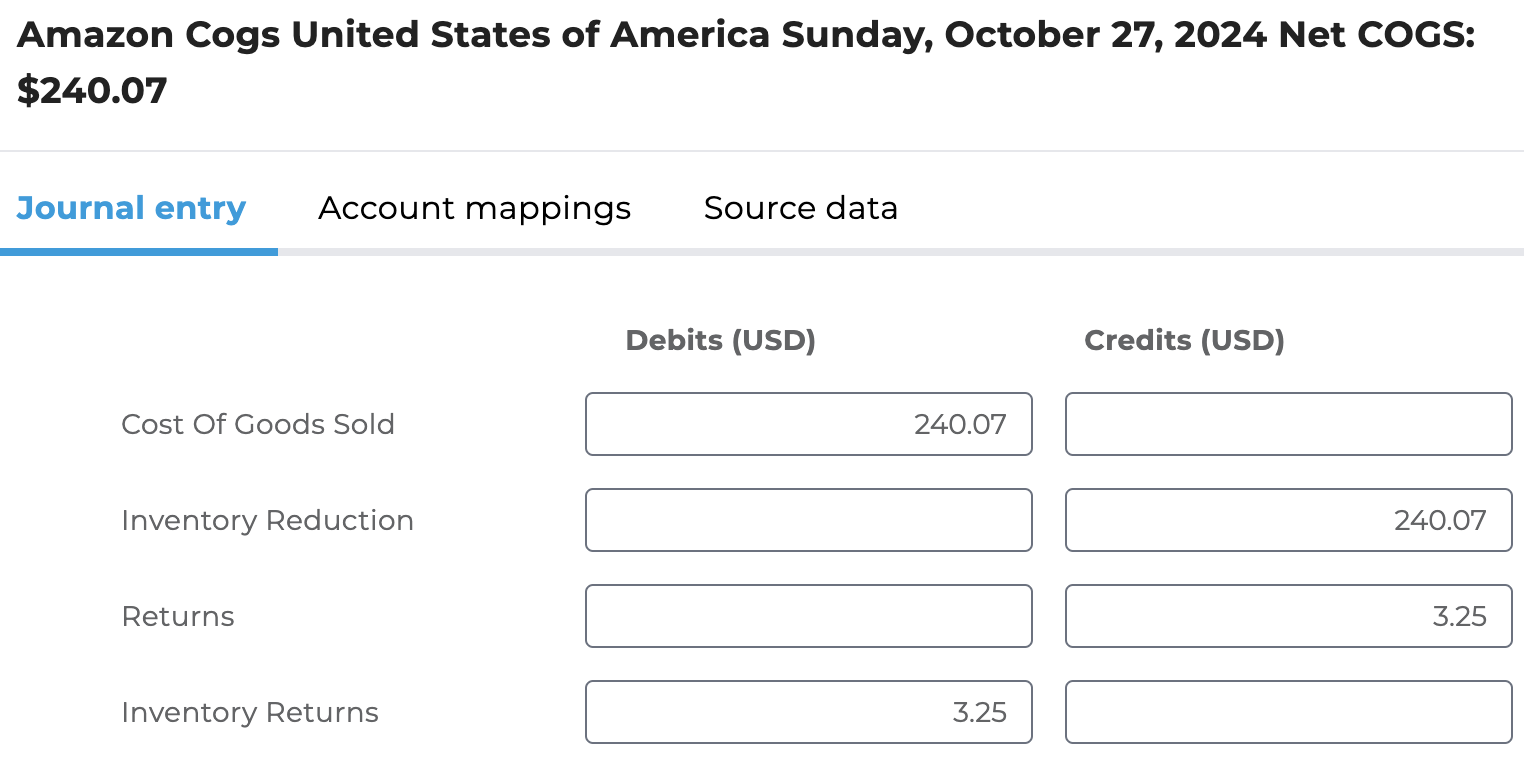
If all variants have a cost and each line is mapped, the journal entry will post automatically to your accounting platform. However, if a line is not mapped or any costs are missing for the variants sold or returned for a particular date, the journal entry will fail.
Benefits of Bookkeep Managed COGS
-
Automated COGS accounting for ecommerce
-
No dependency on incomplete platform cost data
-
Accurate daily profitability reporting
-
Reduced manual work and fewer accounting errors
-
Consistent COGS across Shopify, Amazon, and Walmart
By using Bookkeep Managed COGS, ecommerce sellers can maintain accurate, automated cost tracking and gain a clear, reliable picture of profitability without the overhead of a full inventory management system.