Shopify Accounting Automation
Bookkeep's integration with Shopify allows for seamless automation of accounting tasks on a daily basis. By consolidating sales and Cost of Goods Sold (COGS) into a single entry each day, Bookkeep provides a clear summary of the previous day's performance. Each payout is posted separately, facilitating easy reconciliation with bank statements. This streamlined approach simplifies the accounting process, allowing Shopify store owners to focus on growing their business.
Automated Journal Entries
The three journal entry postings we automate with Shopify are:
- Ecommerce (Sales)
- Payments Deposit (Payouts)
- COGS (Cost of Goods Sold)
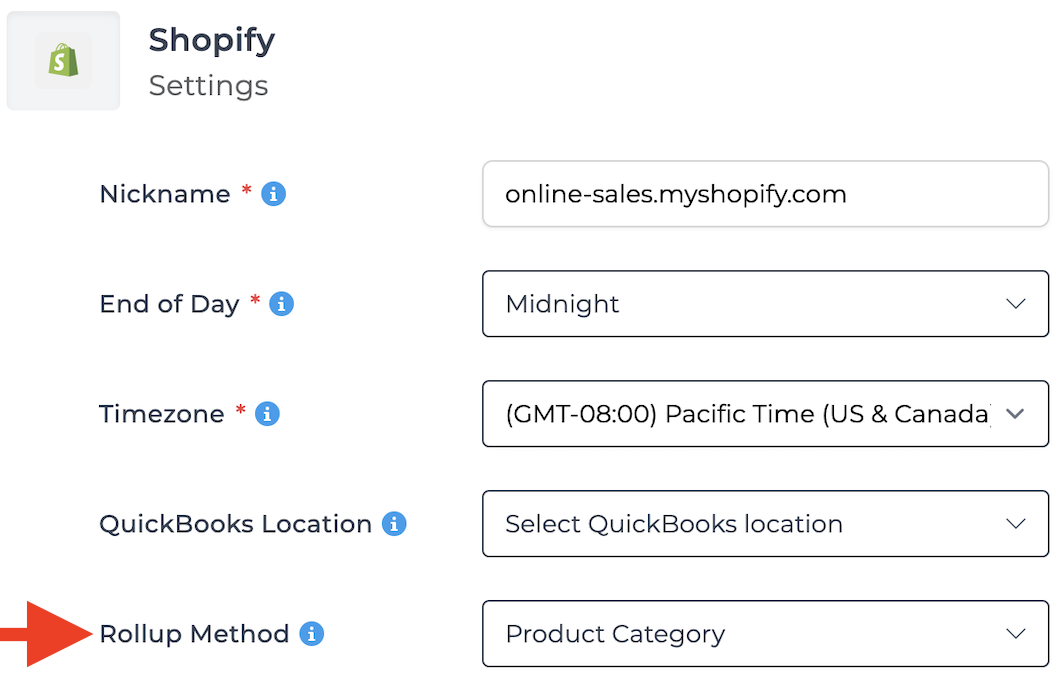
In Bookkeep's Shopify Settings, customers can break down gross sales and refunds by product name or category for Sales and COGS summaries. By default, the rollup method is Product Category. This customization allows mapping each category or product to a separate account, enhancing visibility and analysis for better decision-making.
Sales Summary Automation
The Ecommerce journal entry posts the previous day's sales to your accounting platform daily. It captures the total sales amount, from gross sales to net sales after discounts, refunds, and other adjustments. This entry provides a breakdown of payments received by tender types such as Shopify payments, third-party gateways, PayPal, and gift cards, ensuring transparency and helping reconcile transactions. It also accounts for any pending payments, indicating fulfilled but unpaid orders (accounts receivable).
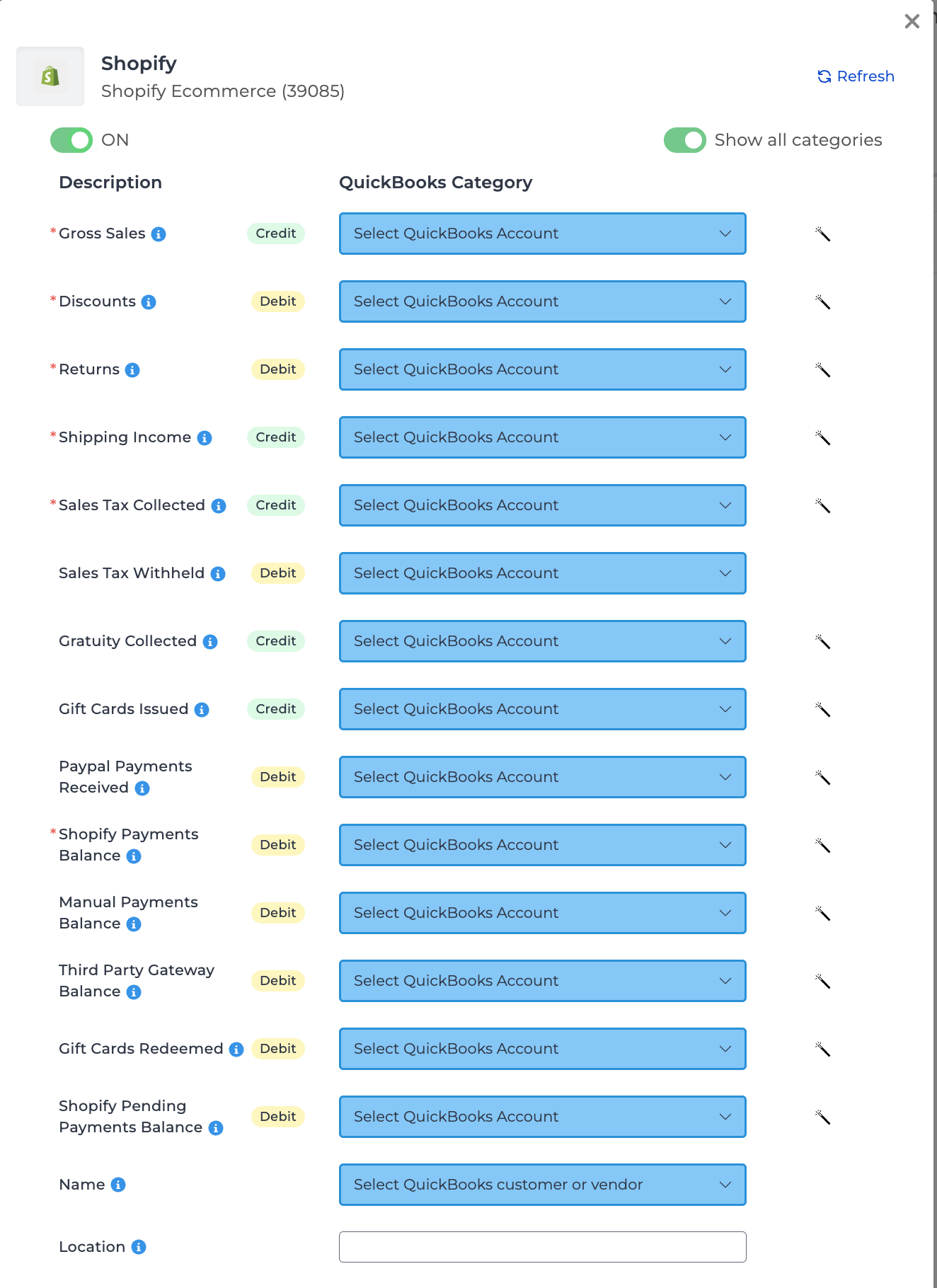
The Shopify Pending Payments line typically captures accounts receivable situations where an order has been placed but remains unpaid. This can occur in several scenarios:
- An order is placed but paid at a later time.
- A pending refund exists—where a refund has been initiated but is still being processed over multiple days.
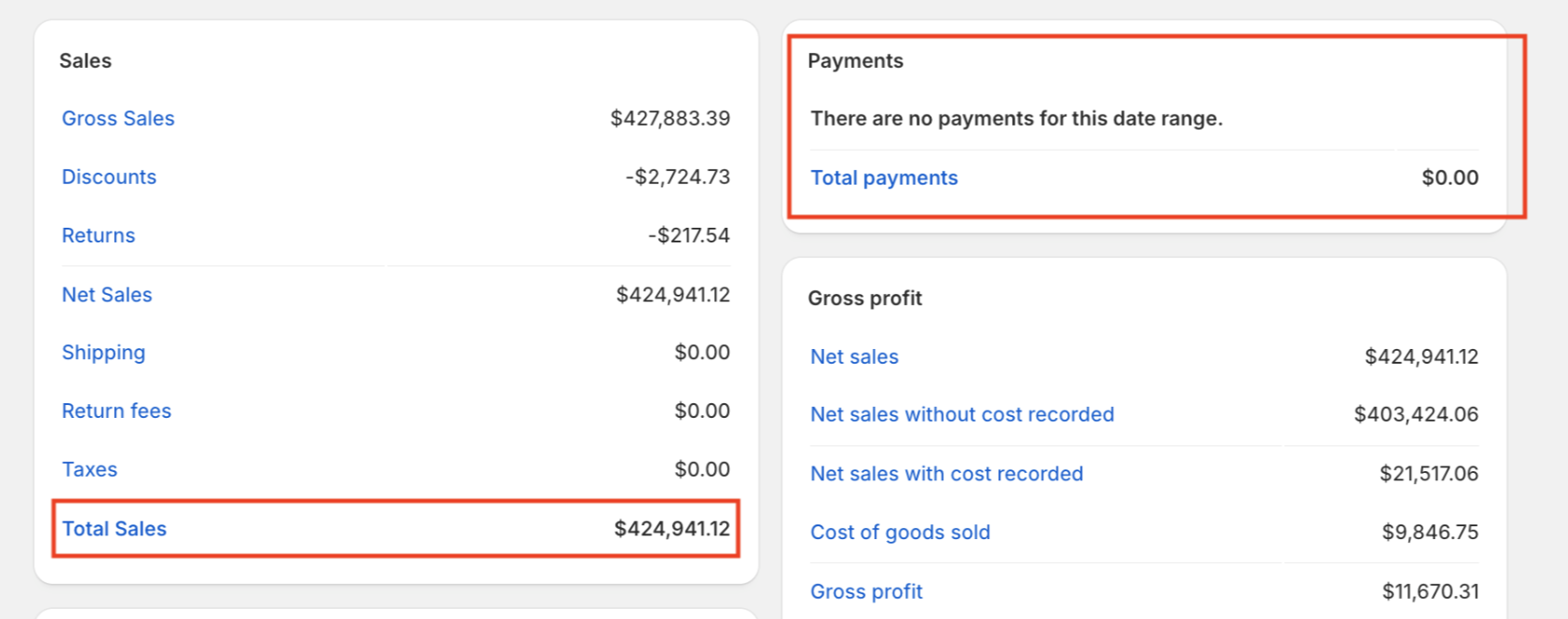
- An order is imported into Shopify without its associated payment details. In these cases, while the order has likely been paid, Shopify does not display the payment data, making the order appear unpaid.
See below for an example where sales are recorded, but payment details are missing since they were not imported:
Two versions of this entry
Bookkeep has two Shopify sales entries, both named Shopify Sales Summary. Tell them apart by the document number on the entry in your accounting platform: the original begins with BKShopSum, the newer one with BKShopify.
Everything above describes the original. The newer entry covers the same ground with more detail:
| The original has | The newer entry has |
|---|---|
| Gross Sales, Discounts, Returns, Shipping Income | The same four lines |
| Sales Tax Collected, Sales Tax Withheld | Sales Tax Collected, Marketplace Tax Withheld |
| Gratuity Collected | Tips Collected |
| Gift Cards Issued and Gift Cards Redeemed | One net Gift Cards line |
| Manual Payments Balance | Manual Payments Balance and Cash Clearing, split apart |
| One Shopify Pending Payments Balance line | Three lines — Other Receivables, Orders Marked Paid, and Exchange Rate Differences |
| Shopify Adjustments | No equivalent |
| — | Return Fees |
| — | Duties |
| — | Cancel Reversals |
The newer entry also treats cancelled orders differently — see Shopify Same-Day Cancelled Orders — and comes with a line-by-line reconciliation guide: Matching Your Shopify Sales Summary to Shopify's Finances Summary.
Deposit/Payout Automation
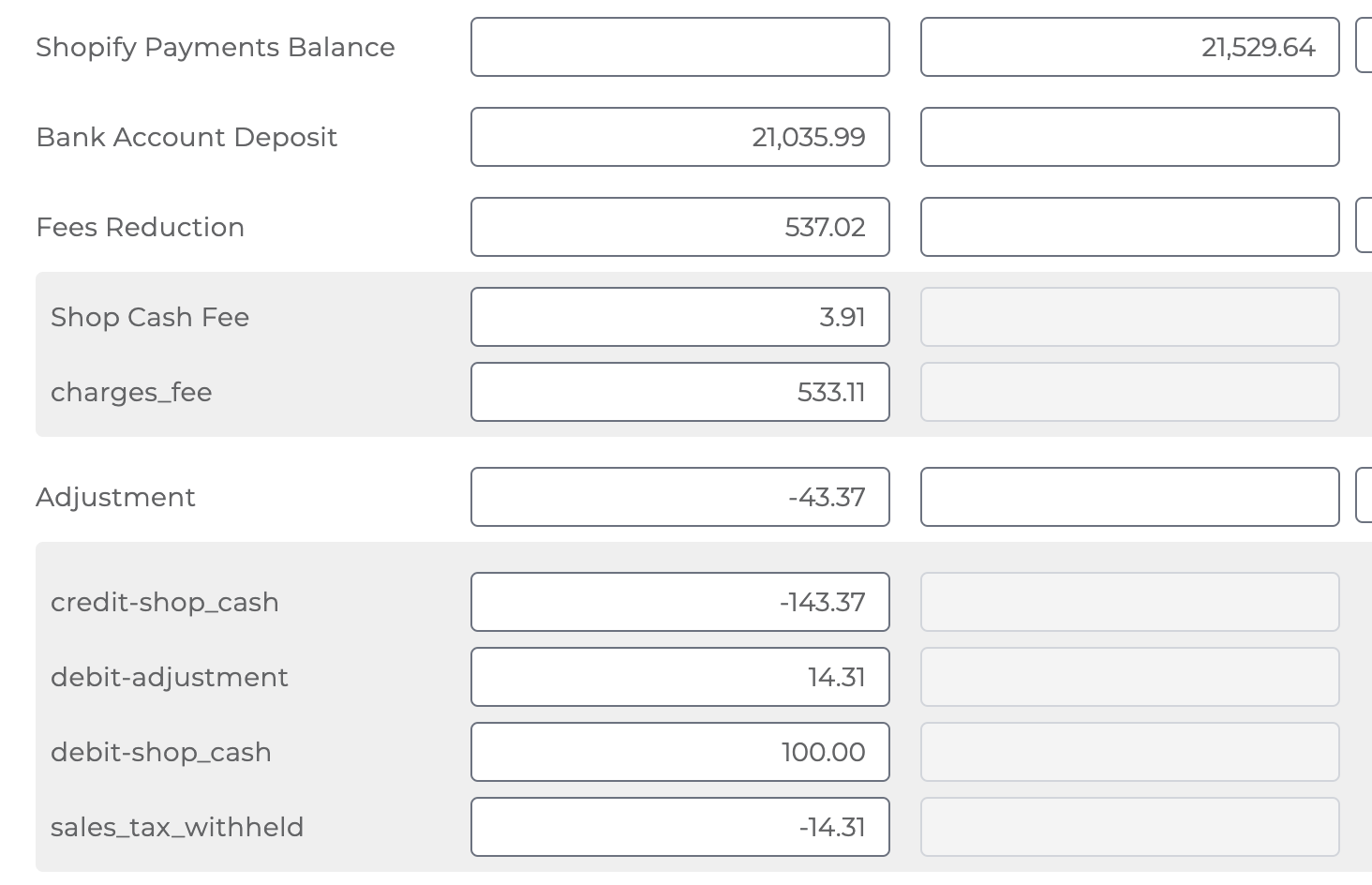
Another key journal entry we handle for Shopify is the Payments Deposit. This entry records any new deposits made to your bank account related to Shopify Payments on a daily basis. When sales are processed by Shopify, they contribute to an increase in your Shopify balance. Each time a deposit is made to your bank account, this balance decreases, and this transaction is captured in the journal entry. Additionally, this entry also includes any fees associated with the processing of these sales by Shopify. It may also detail other adjustments and any repayments of Shopify loans. See below for an example mapping:
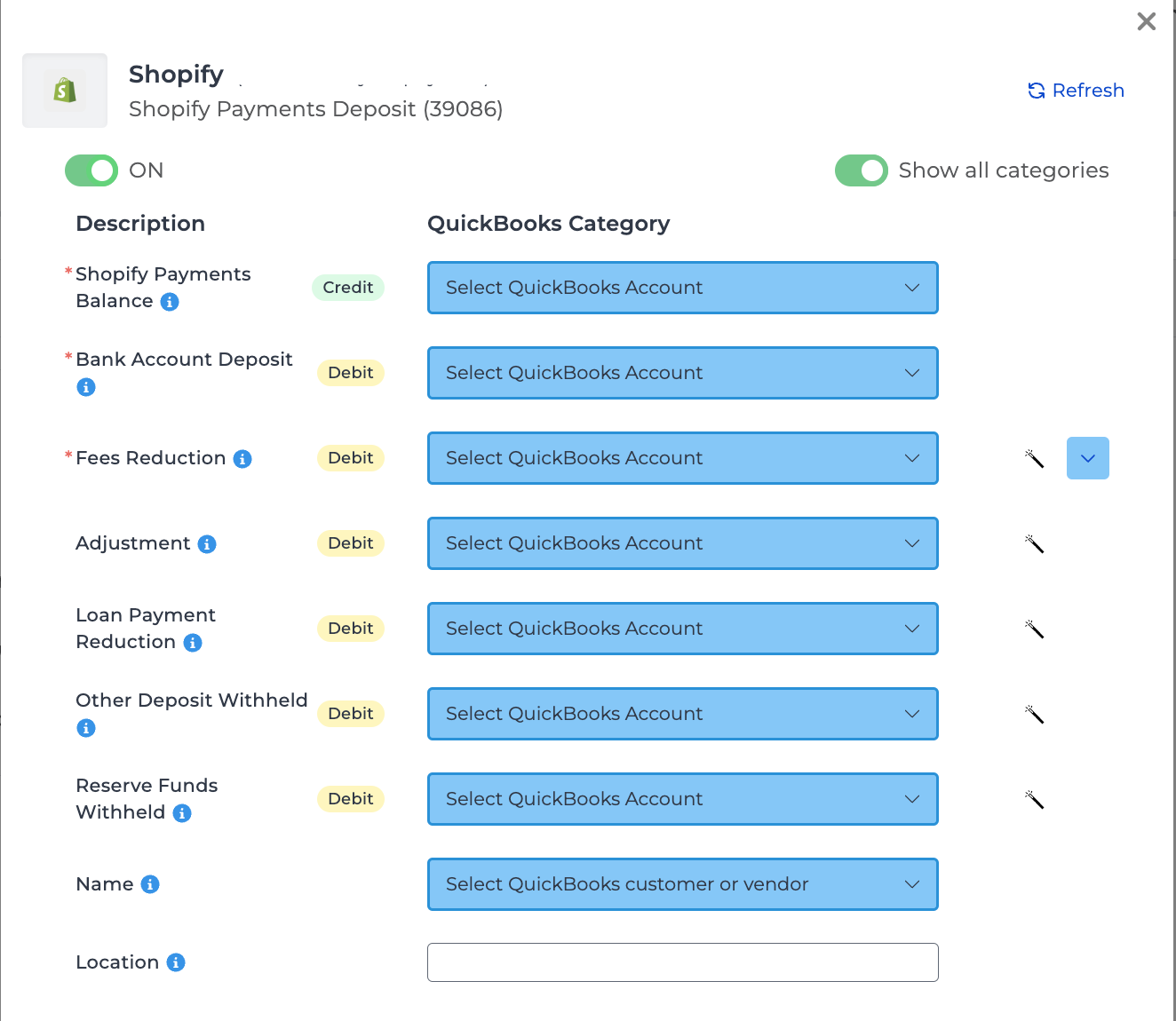
The complexity of the payouts journal entry, including labeling adjustments as sales tax withheld and identifying Shop Cash adjustments, is further explained in these articles: Sales Tax Withheld and Shop Cash Adjustments.
Cost of Goods Sold (COGS) Automation
Our final journal entry for Shopify focuses on Cost of Goods Sold (COGS). In this entry, we record and post the cost of goods sold for the previous day's sales. This process reflects an increase in COGS and a decrease in Inventory, as sold items are transferred from inventory to COGS. Additionally, this journal entry accounts for changes in inventory and COGS when returns occur, as returned items are reintegrated into inventory and removed from COGS.
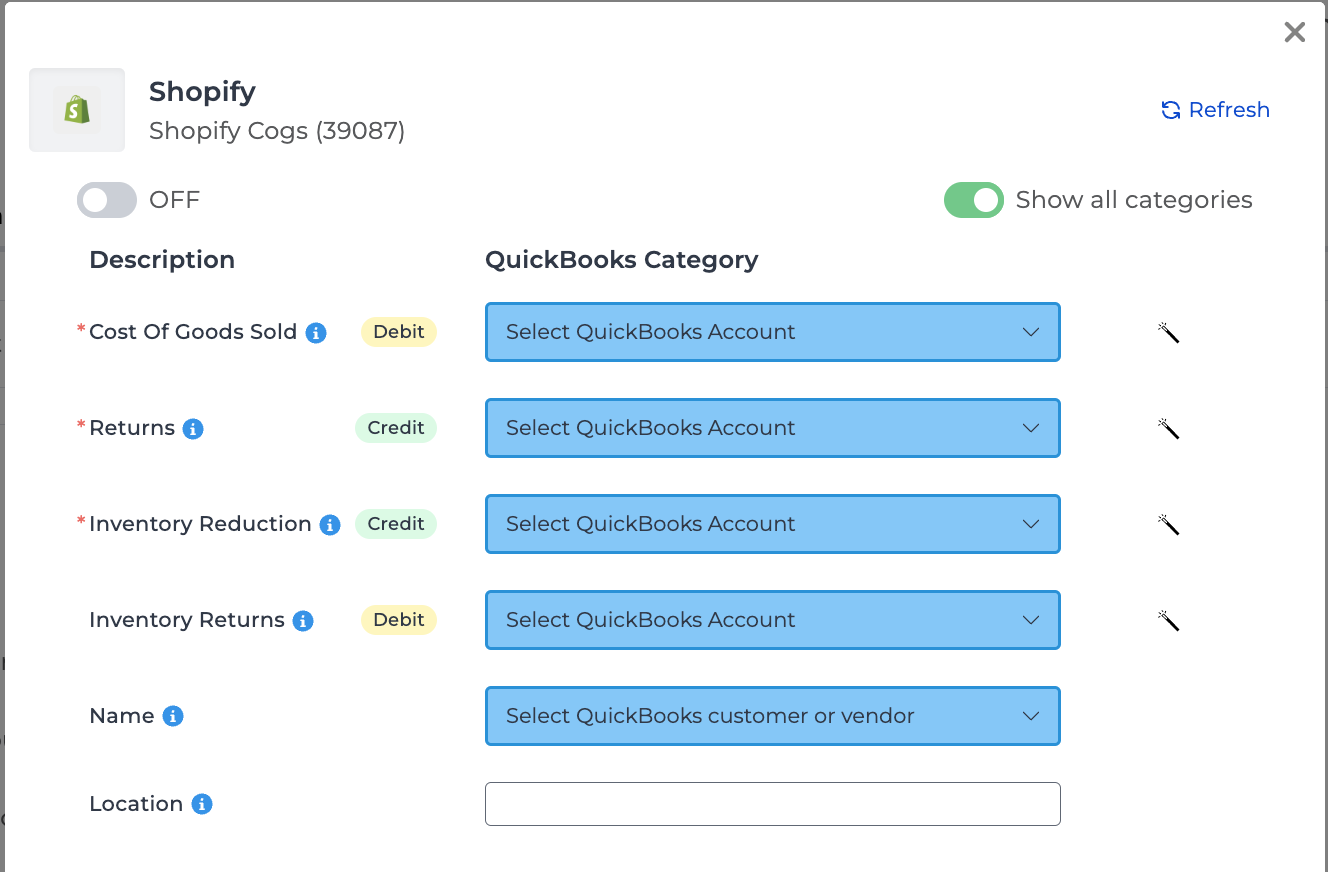
Any products/variants deleted or updated in Shopify may display the wrong unit cost, as Shopify only shows the latest cost and does not show the cost for a deleted item.
*Note that the import feature for the Shopify COGS template is unavailable to users due to potential data issues from Shopify. If you still want to proceed with importing entries for this template, please contact the Bookkeep Support Team.
If you have any questions regarding our Shopify accounting automation, feel free to contact support@bookkeep.com.